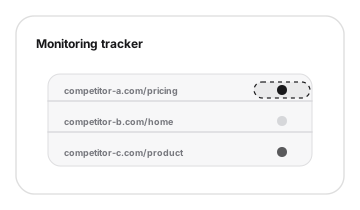
Template to product workflow
The template can map pages into monitored URLs and alert priorities.
Template
Start with a structured tracker for competitor pages, then use PixelWatch to automate the monitoring workflow.
Grounded in current product capabilities: monitored URLs, screenshots, visual diffs, alerts, and history.
The template can map pages into monitored URLs and alert priorities.
PixelWatch is positioned around monitoring pricing, messaging, and design pages.
Start with a short list of competitor pages, then move the highest-signal URLs into PixelWatch monitoring.
| Competitor | URL | Page type | Why it matters | Change to watch | Owner |
|---|---|---|---|---|---|
| ExampleCo | https://example.com/pricing | Pricing | Packaging and positioning | Plan language or visible price change | Founder |
| ExampleCo | https://example.com | Homepage | Top-level message | Headline, hero, proof, or CTA change | Marketing |
| ExampleCo | https://example.com/product | Product | Feature narrative | New section, removed claim, or design shift | Product |
A good tracker row has enough detail for someone to add the URL, review the visual change, and know why the page matters.
| Tracker field | Completed example | Why it helps |
|---|---|---|
| Competitor | Example competitor | Keeps the row about one company instead of a loose category note. |
| URL | https://example.com/pricing | Uses the exact public page the reviewer should add to monitoring. |
| Page type | Pricing | Makes it clear this row belongs with packaging and offer review. |
| Why it matters | Visible plan language may affect sales positioning and roadmap discussion. | Connects the page to a decision instead of only recording that it exists. |
| Change to watch | Plan cards, trial language, comparison rows, and primary CTA. | Tells the reviewer what to inspect first in the screenshot comparison. |
| Owner | Founder | Gives alerts, diffs, and history a person who can decide the follow-up. |
A competitor monitoring tracker is most useful when the page list is tied to real decisions, not a broad list of every competitor URL your team can find.
Use the tracker before changing your homepage, pricing page, or product narrative so the team is looking at the same competitor evidence.
Use it when a competitor has a launch page, announcement page, or refreshed product page that may influence your own release message.
Use it as a light operating document for founders, product managers, and marketers who need a repeatable view of important competitor pages.
Keep each row specific enough that another teammate can understand why the URL matters without sitting through the original discussion.
Enter the exact live page your team cares about. Prefer canonical pages such as the main pricing URL, homepage, product overview, or comparison page.
Name the decision area the page affects. Pricing, homepage, product, use case, and launch pages usually produce the clearest follow-up actions.
Write the business reason in plain language. A useful row says what could change in your roadmap, copy, sales response, or packaging discussion.
Describe the visible signal that matters, then assign one person to review changes and decide whether the team needs to respond.
The strongest rows describe visible page changes that could affect how your team prices, positions, sells, or prioritizes work.
Plan names, visible prices, tier structure, trial language, packaging copy, comparison tables, and CTA changes are strong monitoring signals.
Homepage headlines, positioning statements, customer proof, badges, feature claims, and vertical-specific copy can show where a competitor is moving.
New sections, removed blocks, navigation changes, screenshot swaps, and page layout changes are easier to review when the visual history is preserved.
The tracker becomes more useful when the highest-priority rows move into the competitor website monitoring workflow instead of staying as a static spreadsheet.
Move pricing, homepage, and product URLs into PixelWatch first when those pages affect positioning, packaging, or sales conversations.
PixelWatch can check monitored URLs daily and capture full-page screenshots, giving each tracked page a repeatable visual record.
Use side-by-side visual comparison and highlighted visual diffs to separate important updates from harmless page noise.
Use the saved history when a pricing review, roadmap discussion, or positioning update needs evidence of what changed and when.
SaaS founders can connect the same tracker to the founder competitor monitoring workflow.
When a page change needs follow-up, route it through website change alerts.
When the visual detail matters, compare screenshots with the visual diff tool.
After choosing which competitor pages to monitor, use Klinky's link A/B test planner to turn a landing page idea into a clear hypothesis, traffic split, and measurement plan.
Continue with the pages that naturally support this workflow.
Add a URL, let PixelWatch check it daily, and review the visual history when something changes.
Featured on