Public update-page checks
PixelWatch can monitor public release-note, changelog, and product update URLs.
Use Case
PixelWatch helps teams watch public release notes and changelog pages with daily screenshots, visual diffs, alerts, and history, then review those updates alongside related competitor pages.
Grounded in current product capabilities: monitored URLs, screenshots, visual diffs, alerts, and history.
PixelWatch can monitor public release-note, changelog, and product update URLs.
Screenshots, side-by-side comparison, and highlighted visual diffs help reviewers inspect visible changes.
Related URLs can be grouped by collection and labeled by page type so changes are easier to review together.
Competitor release notes can reveal where a product is moving before that direction appears in pricing, homepage copy, docs, or campaign pages. PixelWatch helps keep those public update pages visible without turning competitor review into a manual routine.
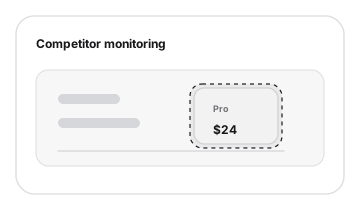
A changelog page is more useful when it is linked to the other public pages that show how the competitor packages and explains the same change.
Watch changelog, product update, and release pages where competitors announce new capabilities, fixes, packaging hints, or product direction.
Pair release-note changes with pricing-page monitoring to see whether new capabilities become plan limits, add-ons, or packaging updates.
Monitor how the competitor turns a shipped update into product narrative, proof, screenshots, or feature positioning.
Watch whether release activity becomes front-page positioning, new audience language, or a changed primary CTA.
Track documentation pages when a release note points to a feature that developers, partners, or customers may adopt.
Create a free-form collection for each competitor, customer, market, or campaign. Then label each URL by page type so release notes, pricing, homepage, product, docs, and landing pages can be reviewed together.
Group the competitor URLs under a free-form collection such as Dokobit, Competitor A, or Client: Acme.
Mark each monitored URL as release notes, pricing, product page, homepage, docs, landing page, or other.
When one page changes, inspect the related pages in the same collection before deciding what the update means.
Use screenshots, visual diffs, alerts, and history so the team can separate visible evidence from interpretation.
The useful signal is not only that a release-note page changed. It is whether that update also changes how the competitor prices, positions, documents, or launches the capability.
| Release-note signal | Linked page to inspect | Review question |
|---|---|---|
| Release note announces a new capability | Product page or docs | Check whether the feature is now emphasized in product positioning, screenshots, documentation, or developer workflow. |
| Release note hints at packaging or limits | Pricing page | Review plan cards, comparison rows, add-on language, and trial copy before updating sales or packaging notes. |
| Release cadence changes | Homepage or product page | Look for broader messaging shifts, new proof, customer logos, or a changed primary product narrative. |
| Launch page or campaign appears | Landing page | Connect the release to campaign messaging and decide whether the change matters for positioning or GTM planning. |
Public changelog, release-note, product-update, pricing, product, homepage, docs, and launch pages where visible changes support competitor review.
Private in-app changelogs, account-specific release feeds, or use cases that need structured feature extraction rather than visual evidence.
Treat release-note alerts as a prompt to review linked pages, not as an automatic strategy change.
Not in the current workflow. PixelWatch monitors public URLs visually, captures screenshots, highlights diffs, sends alerts, and keeps history so a person can review what changed.
A product update can later appear as a paid feature, plan limit, add-on, or packaging change. Monitoring both pages in one collection helps reviewers keep that context together.
No. Start with competitors and pages that affect positioning, sales context, roadmap awareness, or product marketing decisions.
Continue with the pages that naturally support this workflow.
Add a URL, let PixelWatch check it daily, and review the visual history when something changes.
Featured on
